1
Create a monitoring role
PostgreSQL 10+ ships a built-in pg_monitor role that grants exactly the read access needed for monitoring, no need to hand-pick individual privileges.
CREATE ROLE zynty_ro WITH LOGIN PASSWORD 'STRONG_PASSWORD';
GRANT pg_monitor TO zynty_ro;
2
Allow the connection in pg_hba.conf
Add an entry scoped to your collector's IP, and require an encrypted connection.
hostssl all zynty_ro 10.20.0.50/32 scram-sha-256
3
Reload PostgreSQL
Configuration changes to pg_hba.conf need a reload (not a full restart) to take effect.
SELECT pg_reload_conf();
4
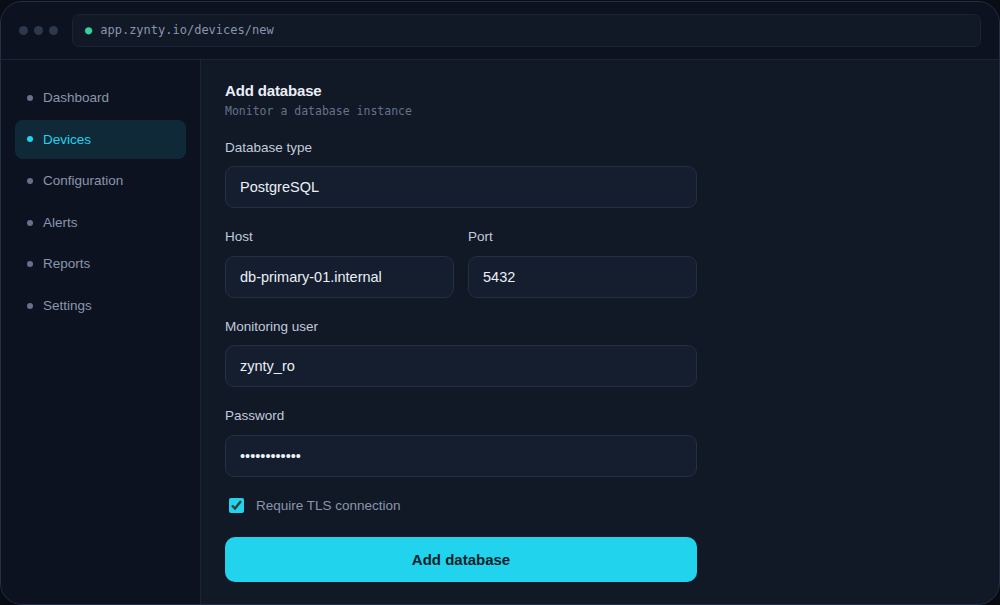
Add the database in Zynty
Choose PostgreSQL as the type and enter connection details. Enable Require TLS connection to match the encrypted access rule you just configured.
1
2
3