1
Enter configuration mode
Connect via SSH or console and enter the Junos CLI's configuration mode.
2
Configure a read-only community
Set a community string scoped to read-only authorization, and optionally restrict it to the collector's IP with a client list.
configure
set snmp community zyntyRO authorization read-only
set snmp community zyntyRO client-list-name ZYNTY-COLLECTOR
set snmp client-list ZYNTY-COLLECTOR 10.20.0.50/32
set snmp location "DC - Frankfurt"
set snmp contact netops@company.com
commit
3
Confirm the community is active
Junos applies SNMP config immediately after commit. Verify with a local show command before testing remotely.
show snmp mib walk system
4
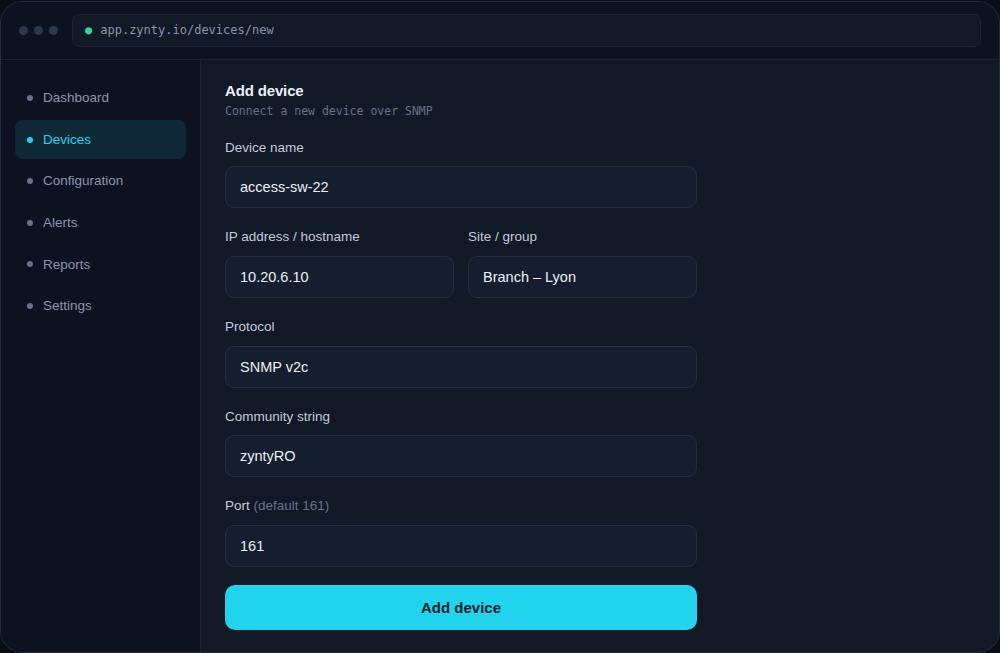
Add the switch in Zynty
Add the device using SNMP v2c and the community string you configured. Juniper devices generally respond well to bulk-walk polling, so default polling intervals work fine even on larger chassis.
1