1
Start a scan
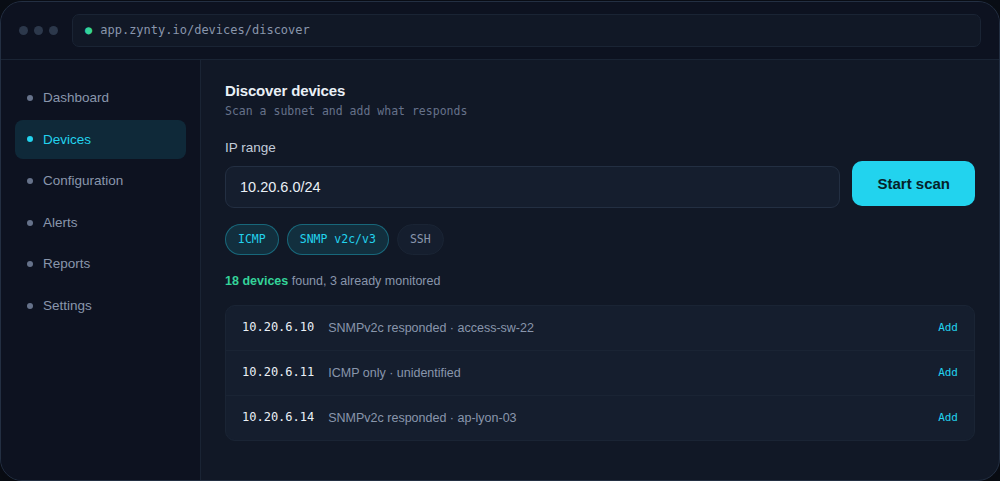
From Devices > Discover devices, enter an IP range in CIDR notation and choose which protocols to probe with, ICMP for basic reachability, SNMP to identify device type and vendor automatically.
1
2
2
Review the results
Devices that already exist in your inventory are marked so you don't create duplicates. Unidentified hosts (ICMP-only, no SNMP response) still show up, useful for spotting shadow IT or unmanaged devices.
3
Add what you want monitored
Select individual devices or the whole result set, and add them with a shared credential profile in one action.
1
4
Schedule recurring scans (optional)
Turn on a weekly recurring scan for a subnet to catch new devices automatically as your network grows.