1
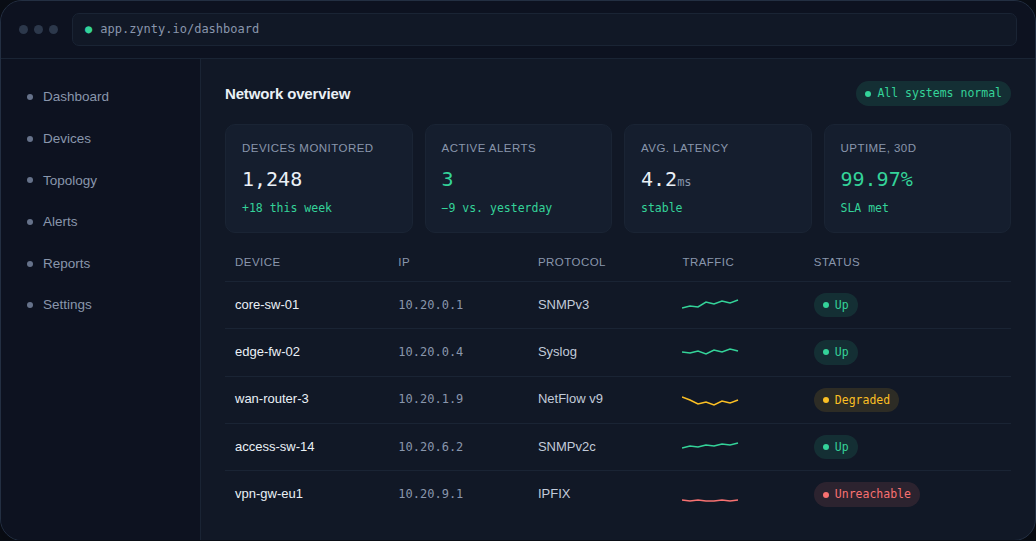
Confirm what Zynty tried
Open the device and check the specific failure reason shown, timeout, connection refused, and authentication failed each point to a different fix.
1
2
Rule out basic connectivity
From the collector (not your laptop, routing can differ), confirm the device answers ICMP and that the monitoring port is open.
ping 10.20.9.1
nc -vz -u 10.20.9.1 161   # SNMP
nc -vz 10.20.9.1 22       # SSH
3
Check for a changed credential
A common cause is a community string or password rotated on the device but not updated in Zynty. Re-enter the credential on the device's Protocols tab.
4
Check for an ACL or firewall change
If connectivity and credentials both check out, confirm nothing changed in an intermediate firewall or the device's own management-plane ACL, this is especially common right after a config push or change window.