1
Create a monitoring login
VIEW SERVER STATE gives access to dynamic management views without granting access to any actual table data.
CREATE LOGIN zynty_ro WITH PASSWORD = 'STRONG_PASSWORD';
CREATE USER zynty_ro FOR LOGIN zynty_ro;
GRANT VIEW SERVER STATE TO zynty_ro;
GRANT VIEW ANY DEFINITION TO zynty_ro;
2
Enable TCP/IP if it isn't already
SQL Server ships with named pipes only in some default installs. Enable the TCP/IP protocol in SQL Server Configuration Manager and confirm the port (default 1433).
3
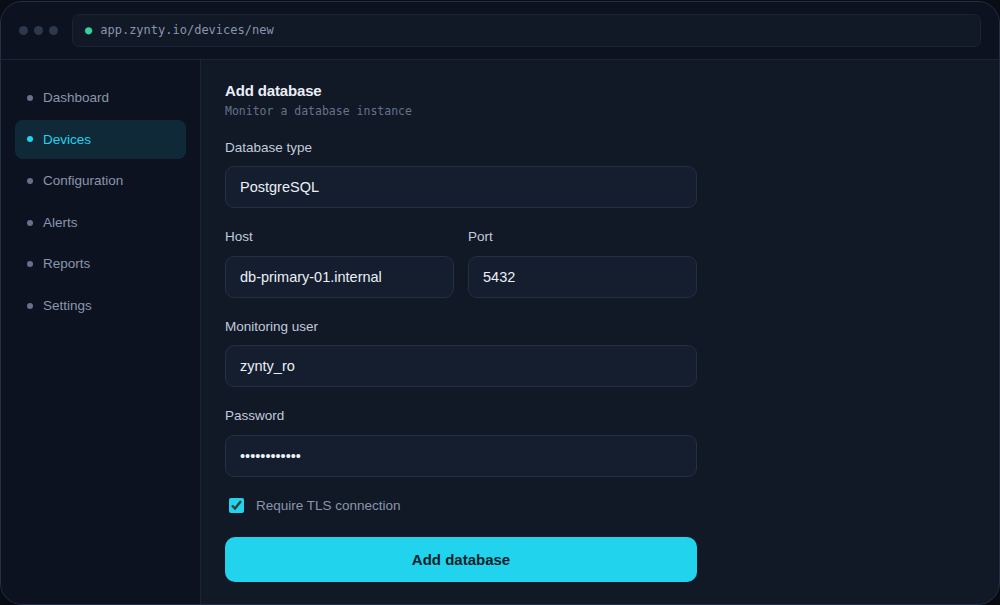
Add the instance in Zynty
Choose SQL Server as the type, and enable Require TLS connection if your instance is configured to require encrypted connections.
1
2