1
Test on one device first
Before targeting a whole group, run the push against a single non-critical device and confirm the result looks right.
2
Define the target group and trigger
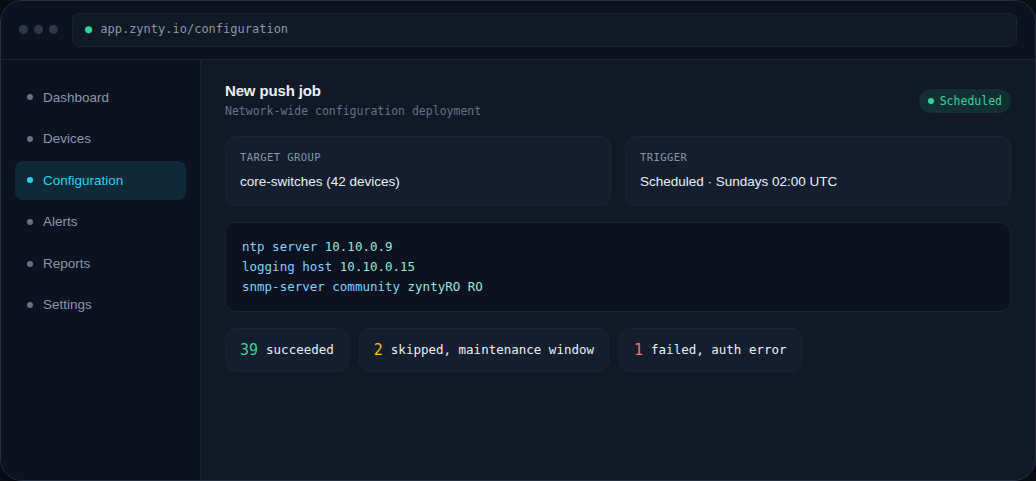
Choose the device group the job applies to, and whether it runs on a schedule (for routine, zero-touch changes like NTP or logging updates) or only when manually triggered.
3
Write the configuration to push
Provide the exact lines to apply, Zynty pushes them over each device's stored SSH credential, adapting to per-vendor syntax where you've used platform-aware snippets.
4
Review the output groups
After a run, results are grouped by outcome, succeeded, skipped (for instance, a device in an active maintenance window), and failed, so a 40-device job doesn't mean reading 40 individual logs.
1