What "drift" means
A device's running configuration can differ from its last backed-up version for reasons ranging from an unsaved manual change to a script that never persisted its changes to startup-config. Zynty polls live state continuously and compares it to the last known backup.
Read the drift indicator
A device shows a drift badge the moment live state and backed-up config diverge, with a live-updating count of how many devices across your network are currently drifted.
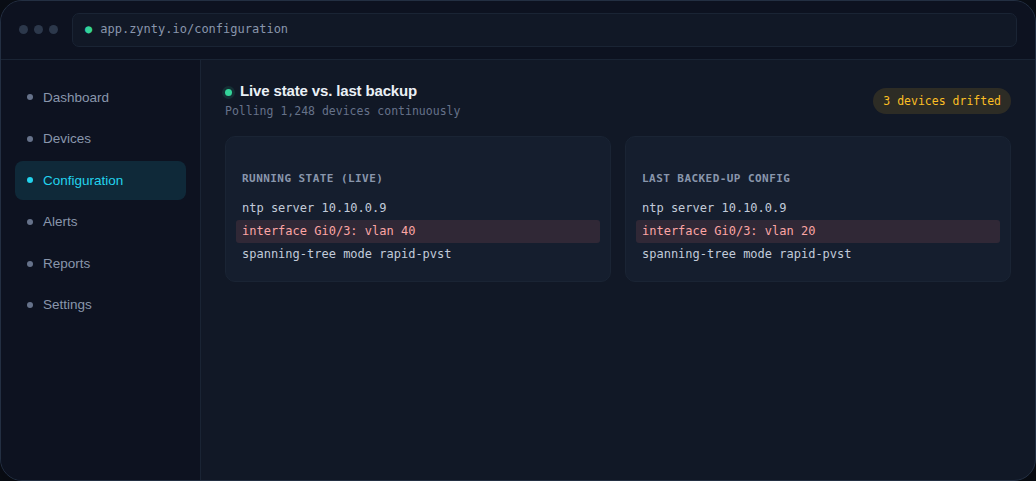
Inspect the specific difference
The state comparison view puts the live running state and the last backup side by side, with the differing lines highlighted, so you can see exactly what hasn't been saved.
Decide: save it, or revert it
If the live change was intentional, back it up to make it the new baseline. If it wasn't, that's exactly the kind of unauthorized or accidental change NIS2's incident-detection expectations are designed to catch early.