1
Get notified of a change
Whenever a device's running configuration differs from its last known state, Zynty flags it automatically, no manual comparison needed.
2
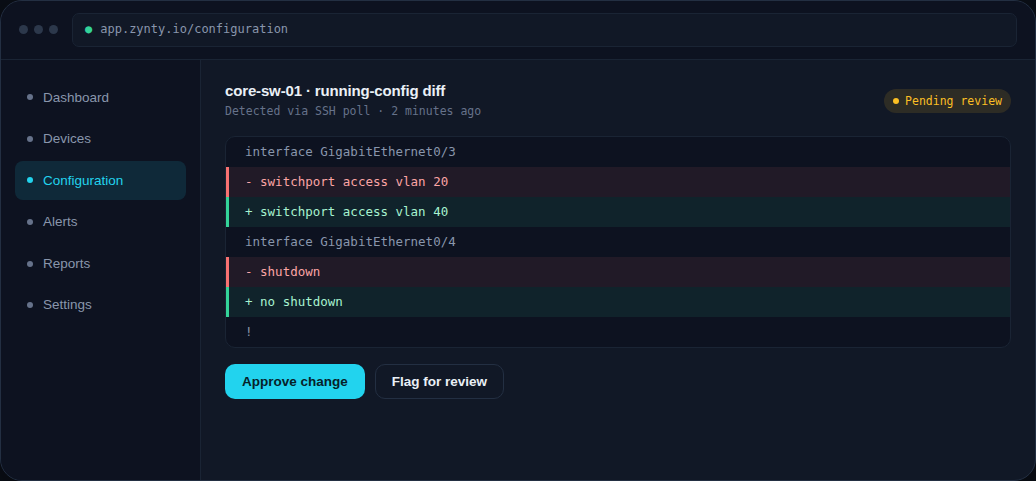
Read the diff
Removed lines appear in red, added lines in green, unchanged context in gray, the same convention as a code review, so network changes get the same scrutiny as software changes.
3
Approve or flag the change
Mark it Approved if the change was expected (part of a known maintenance window, for instance), or Flag for review to loop in a teammate before it's considered resolved.
1
4
Pull it into a report
Approved and flagged changes both feed into the NIS2 audit-evidence report, so this review step doubles as compliance documentation.