1
Write a search query
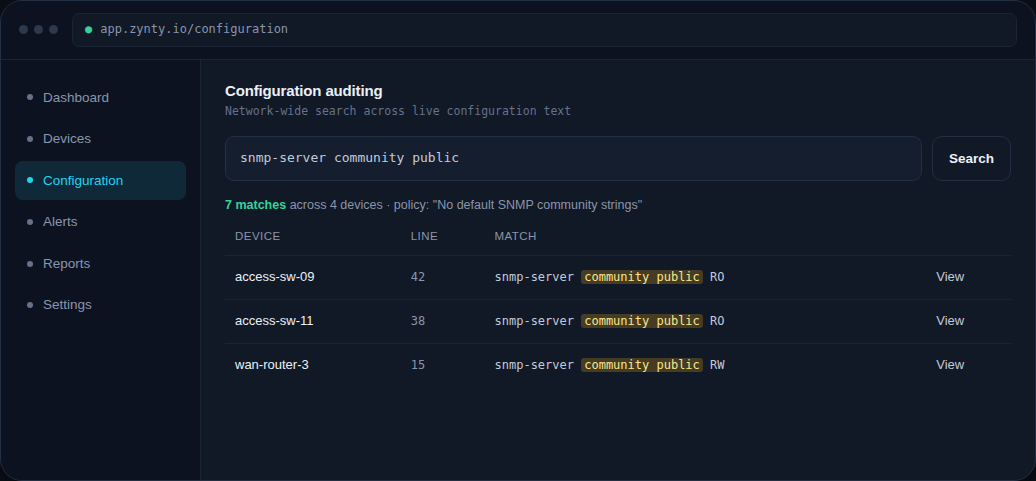
Configuration auditing searches the text of every device's live and backed-up configuration, so you can look for specific strings, patterns, or the absence of expected lines.
1
2
Review the matches
Results show which devices matched, the exact line, and a link straight to that device's configuration for a closer look.
3
Save the search
Save a recurring query (like "default SNMP community still present") so you can re-run it after every audit backup cycle rather than rebuilding it from scratch.
4
Export for evidence
Export results as CSV or PDF, useful both for internal remediation tracking and as supporting evidence in a NIS2 audit-evidence report.